صحافة الكترونية مرخصة وزارة الاعلام ترخيص رقم 366-2019

صحافة الكترونية مرخصة وزارة الاعلام ترخيص رقم 366-2019
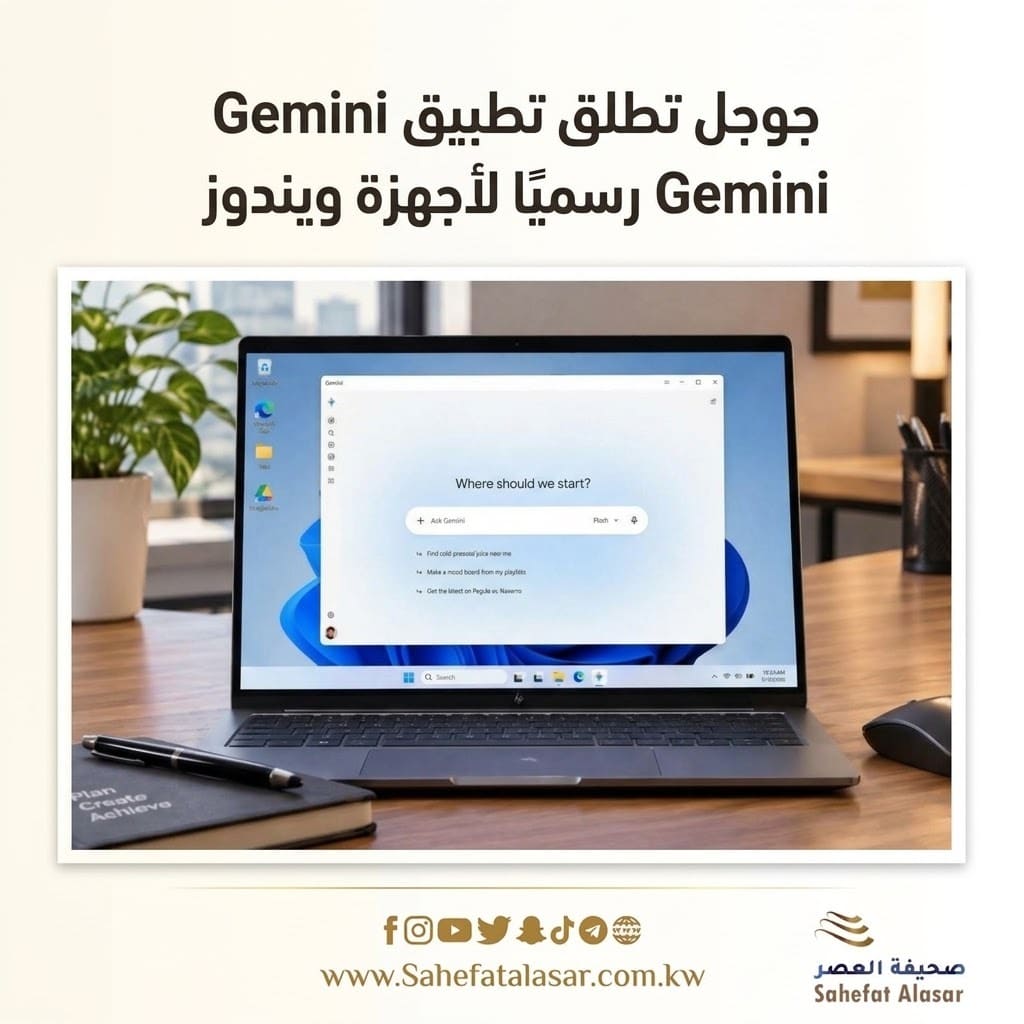
Google has officially launched its Gemini app for Windows 10 and Windows 11 computers, putting its AI assistant in direct competition with rival apps like ChatGPT and Copilot, after a period of relying primarily on web-based experiences.
The app is now available globally for Windows devices, supporting both x64 and ARM64 processors, in all countries and languages where the Gemini service is available.
Instant access to Gemini:
The Gemini app offers a native desktop experience, allowing users to access the assistant while using other applications without needing to open a browser.
Gemini can be quickly launched using the keyboard shortcut Alt+Space, appearing on top of the active window. From there, users can ask questions, check information, and get help with a variety of tasks. The launch shortcut can be changed in the application settings, or Gemini can be opened from the Windows taskbar and system area.
Gemini Spark handles complex tasks:
One of the most notable features coming to the Windows app is the ability to leverage Gemini Spark, Google's standalone AI agent, to handle multi-step tasks, such as searching, planning, and other tasks requiring multiple stages of work.